Step 1. Access to the POS terminal
Once the course has been satisfactorily completed with your Final Badge, the certification procedure for eligible students begins.
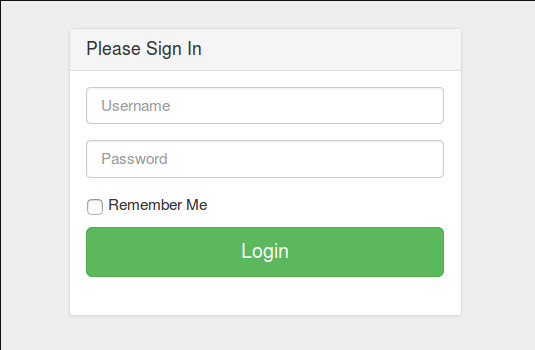
Payment will be made by accessing the address https://abierta.ugr.es/tpv/ with the access data used in AbiertaUGR.
Step 2. Certificates available
Once you have logged in, the certificates available to the user and their status will be displayed.
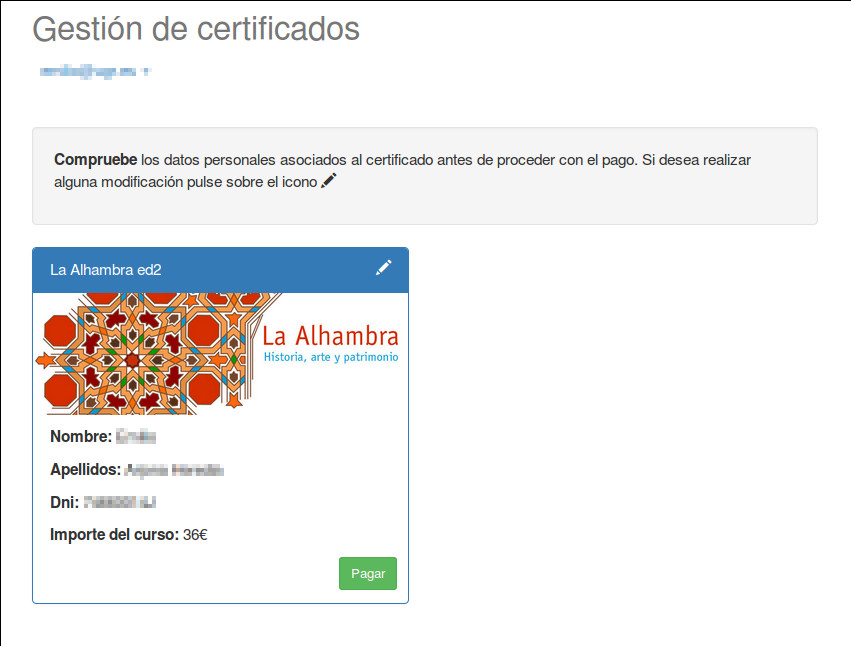
Step 3. Very important
It is very important to ensure that the details shown are correct, as these will be used to generate the certificate. If they are incorrect, they can be amended by clicking on the white pencil icon in the top right-hand corner of the certificate.
WARNING!!! Once the certificate has been submitted for payment, the details on the certificate cannot be changed.
Once you have checked the details, you can click the ‘Pay’ button, and a summary of the transaction will be displayed.
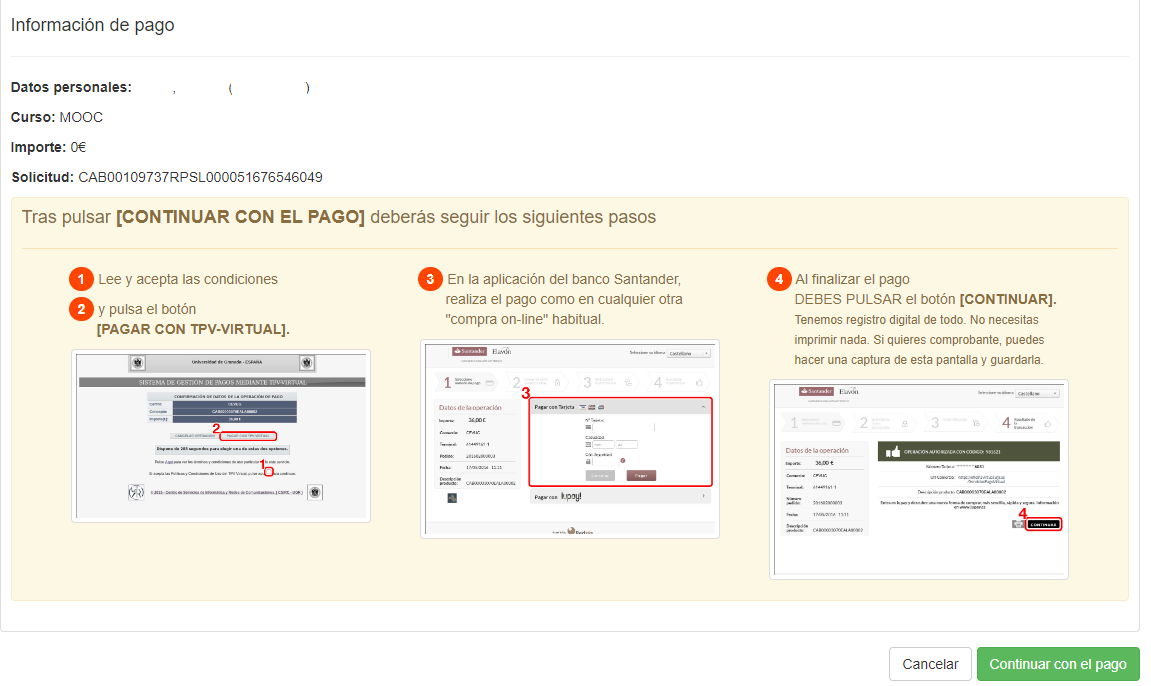
Step 4. Accept terms and conditions
By clicking on ‘Continue with payment’, you will be taken to the University of Granada’s payment gateway.
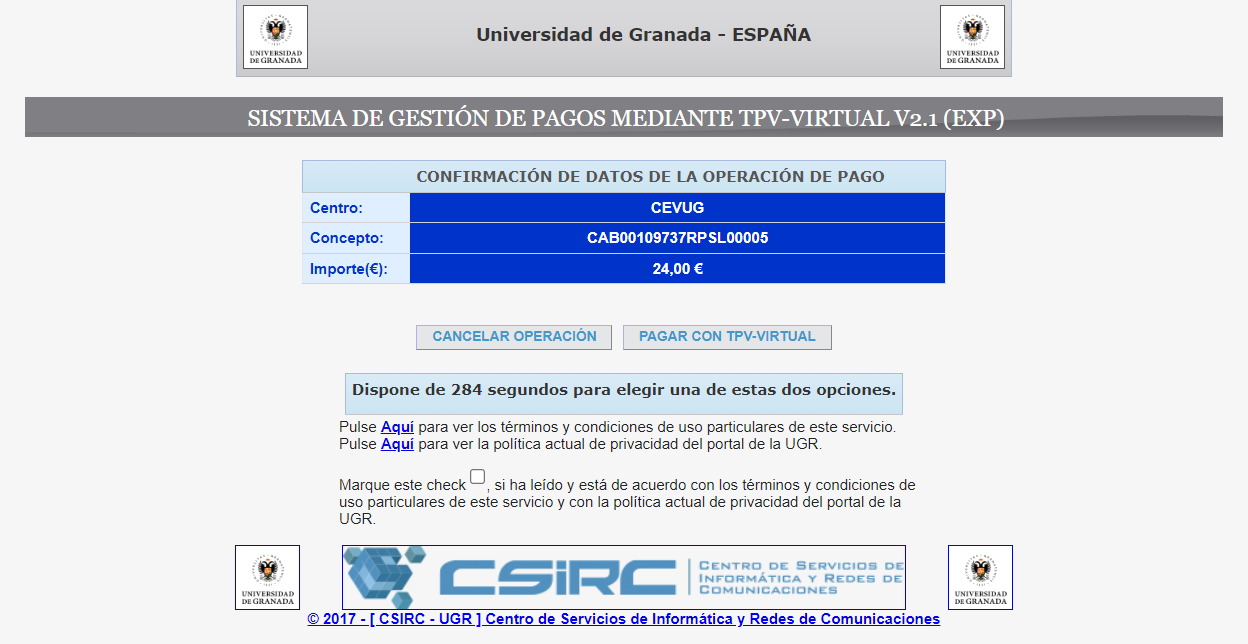
Step 5
This screen summarises the transaction once again, and you must accept the Virtual POS Terms and Conditions before finally being redirected to the financial institution.
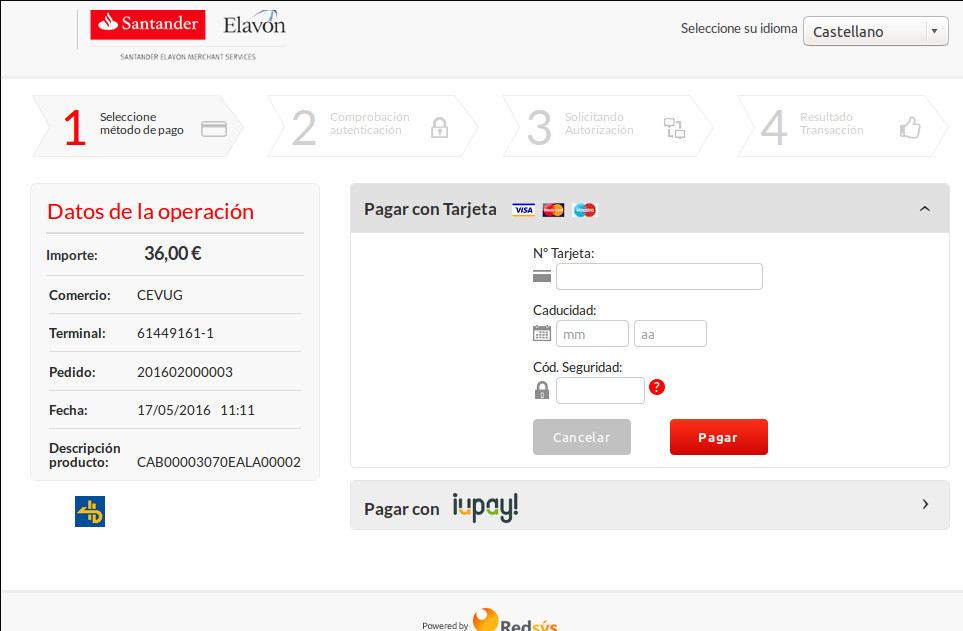
Step 6. Enter your payment details
This is the financial institution’s secure page where you must enter your payment details. The cards accepted are Visa, MasterCard and Maestro. Once you have entered your details, click on ‘Pay’.
If the details are correct, a page like the one shown below will appear, indicating that the payment has been successfully processed.
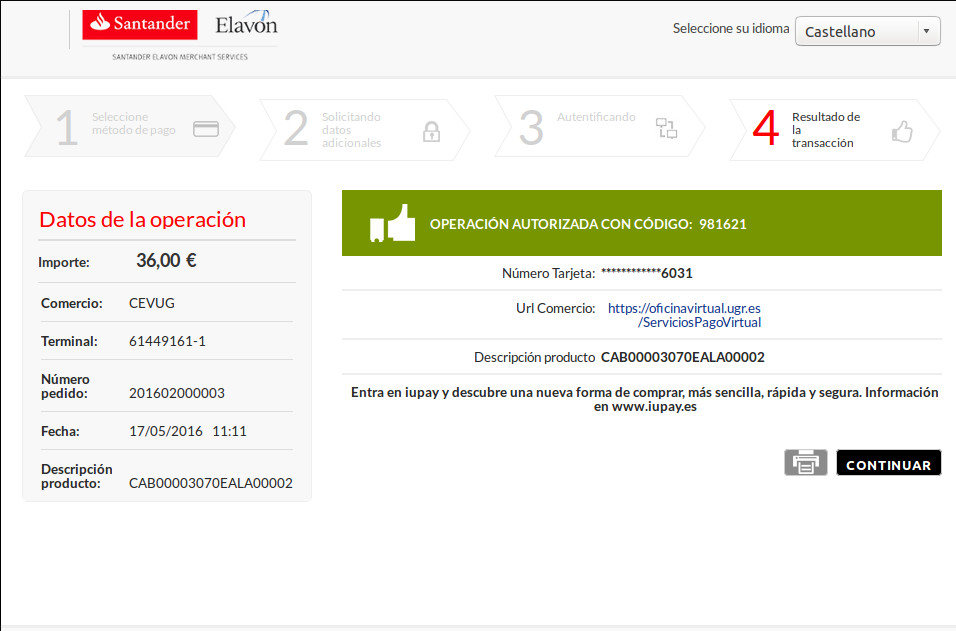
Step 7. Click on ‘Continue’
IMPORTANT!!! To ensure the process is completed correctly, it is very important to click CONTINUE on this screen to return to the POS home page.
The payment has been successfully completed when the following message appears.
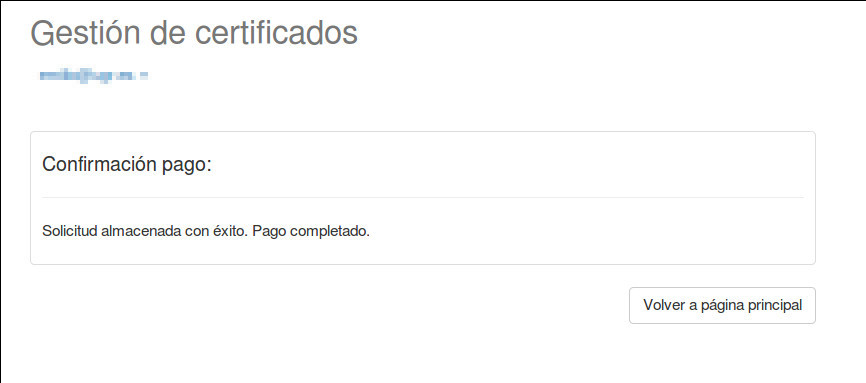
Step 8. Download the certificate
From that moment on, your certificate will start to download automatically: https://abierta.ugr.es/tpv/
A screen like this will then appear:
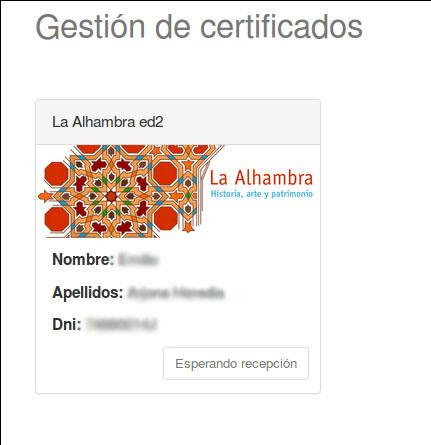
- Los certificados aparecerán en esta página, con un botón de descarga cuando se reciban firmados.
- Si tiene algún problema con el proceso de pago envíenos una descripción lo más detallada posible del error usando este formulario de contacto.